CRM Lead Management: How to Capture, Track and Convert More Leads
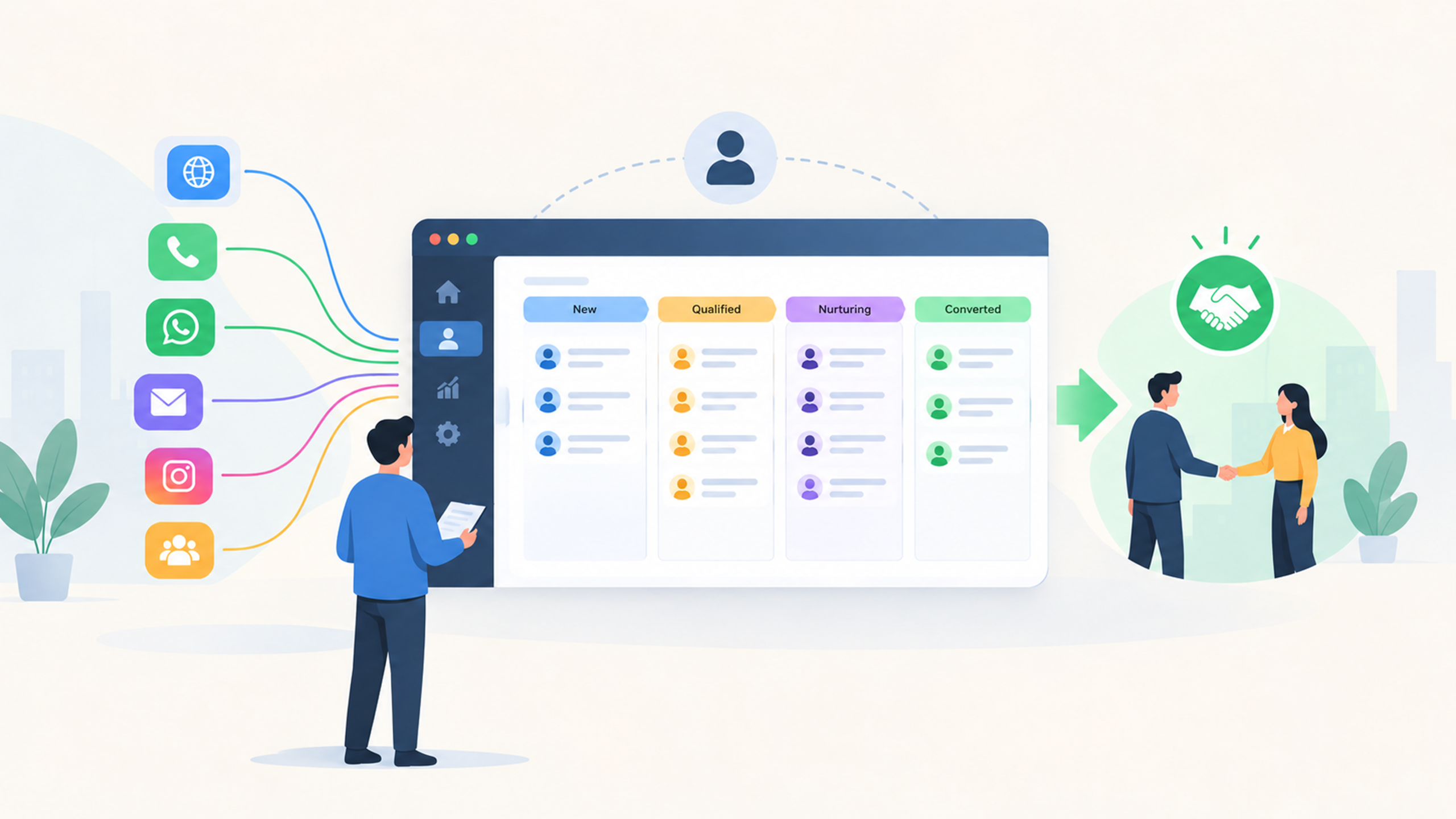
Quick answer: CRM lead management is the process of capturing every enquiry in one system, tracking each lead’s status and follow-ups, and guiding it to a sale. It stops leads from getting lost between phone calls, WhatsApp chats, website forms and spreadsheets, so your team replies faster and closes more deals.
Think of leads like customers walking into a busy showroom. If nobody greets them, notes what they want and follows up, they walk out and buy somewhere else. Leads behave the same way.
What Is CRM Lead Management?
CRM lead management means using a customer relationship management (CRM) system to handle a lead from the first enquiry to the final sale. Instead of scattered notes and memory, every lead has one record showing where it came from, who owns it, what was discussed and what happens next.
In our showroom analogy, the CRM is the visitor register and the receptionist in one: it logs every visitor and tells everyone where each one stands.
How Do You Capture Leads From Every Source?
Bring every channel into one place. Most businesses get enquiries through website forms, calls, WhatsApp, email, social media ads and referrals. If each channel has its own notebook, nobody sees the full picture.
Good lead capture does three things:
Records the lead instantly: Every enquiry is logged the moment it arrives.
Tags the source: It shows which channel brings serious buyers, not just more names.
Assigns an owner right away: Every lead has someone responsible from the start.
How Do You Track Leads Without Missing Follow-Ups?
Every lead record should answer four questions at a glance:
Who owns this lead?
Which stage is it in?
When was the last contact?
What is the next action?
Add reminders so a follow-up never depends on someone’s memory. Most deals are not lost to a clear “no”. They fade because nobody called back. Tracking turns follow-up from a habit into a system.
How Do You Convert More Leads?
Conversion improves when you act fast and focus on the right leads. Follow this five-step routine:
Reply quickly: Aim for minutes, not days.
Qualify the lead: Check the need, budget, timeline and decision-maker.
Score and prioritise: Call the ready-to-buy leads first.
Nurture the rest: Share useful updates until they are ready.
Review what works: Compare sources and stages to see where leads drop off.
Speed is where most teams lose. A February 2026 NP Digital survey of 500 marketers found only 3% reply to new leads within five minutes, and 28% have no defined process. An older Harvard Business Review audit of 2,241 US companies found 23% never responded to web leads at all. Simply being quick puts you ahead of many competitors.
What Should You Look for in Lead Management Software?
Choose a CRM your team will actually use every day. Check for:
Automatic capture from all your lead sources
A clear pipeline view showing every stage
Follow-up reminders and task assignment
Simple reports on source quality, response time and conversion
Easy access on mobile, so your team can update leads on the go
Mawalog CRM brings your leads, follow-ups and sales pipeline into one place, so no enquiry gets missed.
Frequently Asked Questions
What Is CRM Lead Management?
It is the process of capturing, tracking, qualifying and converting leads inside a CRM, so every enquiry has an owner, a status and a next step.
What Is a Good Lead Response Time?
Under five minutes is the common target for inbound enquiries. Even replying within an hour puts you ahead of most businesses, since many take a day or longer.
How Does Lead Scoring Work?
Lead scoring gives each lead points based on fit and activity, such as enquiry type, company size and recent engagement. Higher scores mean the lead is closer to buying, so your team calls them first.
Which Features Matter Most in CRM Lead Management Software?
Automatic lead capture from every channel, source tracking, follow-up reminders, a clear pipeline and simple reports. Together they make sure every enquiry has an owner and no follow-up is forgotten.
Manage and Convert Your Leads with Mawalog CRM →
Ready to capture, track and convert more leads? Request a Demo of Mawalog CRM or Get Started today.